EISOL implements Rewardly and Lightspeed Retail X, and Hawker Online is an EISOL product. Rewardly and Hawker POS are our featured recommendations. The sequence is an editorial shortlist, not a market-share ranking or independent performance score. Product facts were reviewed on 16 September 2026. Our assessments and buying considerations are distinguished from vendor-stated features.
Product images use existing EISOL or vendor-published references, with AI-assisted presentation edits. They illustrate interfaces and device formats; they are not screenshots of a tested installation or a promise that all pictured hardware is included.
Which POS system is best for your Singapore business?
Start with Rewardly when you want connected commerce and customer engagement. Start with Hawker POS by Hawker Online when you want a focused stall or small-counter workflow.
Rewardly
Connect the order, payment and customer relationship. Explore POS, QR ordering, kiosks and a flexible loyalty program within the Rewardly platform.
See why Rewardly leads our shortlist →Hawker Online
Keep product selection, modifiers and checkout clear. Add customer confirmation, self-ordering or PayNow alerts around the needs of your stall.
Explore Hawker POS →A retailer with detailed purchasing and stock-control needs should also assess Lightspeed Retail X-Series. Restaurants should compare menu, table, payment and kitchen workflows; retail shops should prioritise inventory, returns and selling across channels. There is no universal winner for every business.
Compare 18 POS systems in Singapore
Use this table to build a shortlist, then read the platform-specific assessment. “QR ordering” describes an ordering capability, not a guarantee of included payment processing or an all-inclusive subscription.
| No. | POS software | Suitable business | QR ordering | Main focus |
|---|---|---|---|---|
| 01 | Rewardly | F&B and retail with loyalty-led growth | QR ordering within CommerceOS | POS, ordering, loyalty and payments |
| 02 | Hawker POS by Hawker Online | Hawkers and small F&B counters | Self-ordering and digital ordering options | Focused counter workflow and PayNow alerts |
| 03 | Qashier | Small F&B, retail and service businesses | Online and table QR ordering | POS, payments, loyalty and business tools |
| 04 | EPOS / EPOS360 | Retailers, cafés and restaurants | In-store QR ordering and online store | Order management, customer records and reporting |
| 05 | Eats365 | Quick-service and full-service restaurants | QR and branded online ordering | iPad POS with restaurant expansion modules |
| 06 | Lightspeed Retail X-Series | Retail shops and multiple-outlet retailers | Restaurant QR ordering is not its core purpose | Products, purchasing, stock and omnichannel retail |
| 07 | Sapaad | Restaurants handling several order channels | Sapaad Direct QR ordering | Orders, delivery, kitchen and ingredient inventory |
| 08 | iCHEF | Existing users reviewing regional continuity | Historical QR capability; local availability unconfirmed | Restaurant order entry and table service |
| 09 | MEGAPOS | Restaurants, counters and retail operators | QR orders sent to POS and kitchen | Counter POS, self-service and kitchen routing |
| 10 | Edgeworks / EQuipPOS | Retailers, multiple outlets and B2B operations | QR ordering within its F&B offering | Inventory, omnichannel selling and procurement |
| 11 | Suntoyo | F&B businesses introducing self-ordering | QR menu, ordering and payment | Connecting diner orders with POS and kitchen |
| 12 | Atlas | Cafés, quick-service and full-service restaurants | Table scan-to-order | POS, digital orders and restaurant operations |
| 13 | Novitee, now Koomi | Restaurants and growing F&B groups | Restaurant-branded QR ordering | POS and wider F&B operations |
| 14 | Raptor POS | Restaurants and hospitality operators | App-free digital ordering | Service, kitchen, reporting and integrations |
| 15 | Eurostop | Retail chains and inventory-led stores | Restaurant QR ordering is not its core purpose | Store operations, stock and customer records |
| 16 | Shopify POS | Retailers already using Shopify ecommerce | Restaurant ordering generally needs another solution | Shared products, customers and retail orders |
| 17 | Loyverse | Small retailers and food businesses | Customer self-ordering requires separate evaluation | Core POS, sales reporting and customer loyalty |
| 18 | Eightpos | Restaurants seeking a local system provider | QR ordering listed in the restaurant offering | Kitchen, ordering, inventory and accounting connections |
Singapore pricing, payment providers, hardware and feature availability should match the written proposal. iCHEF’s regional hardware discontinuation notice requires careful review; Novitee is now branded Koomi.
18 POS systems in Singapore: a 40-second overview
Start with Rewardly and Hawker POS by Hawker Online, then explore the other 16 systems in this quick visual guide. Read the individual assessments below for features, business fit and trade-offs.
Video captions are in English. The written comparison is available in English, Chinese and Malay.
Rewardly
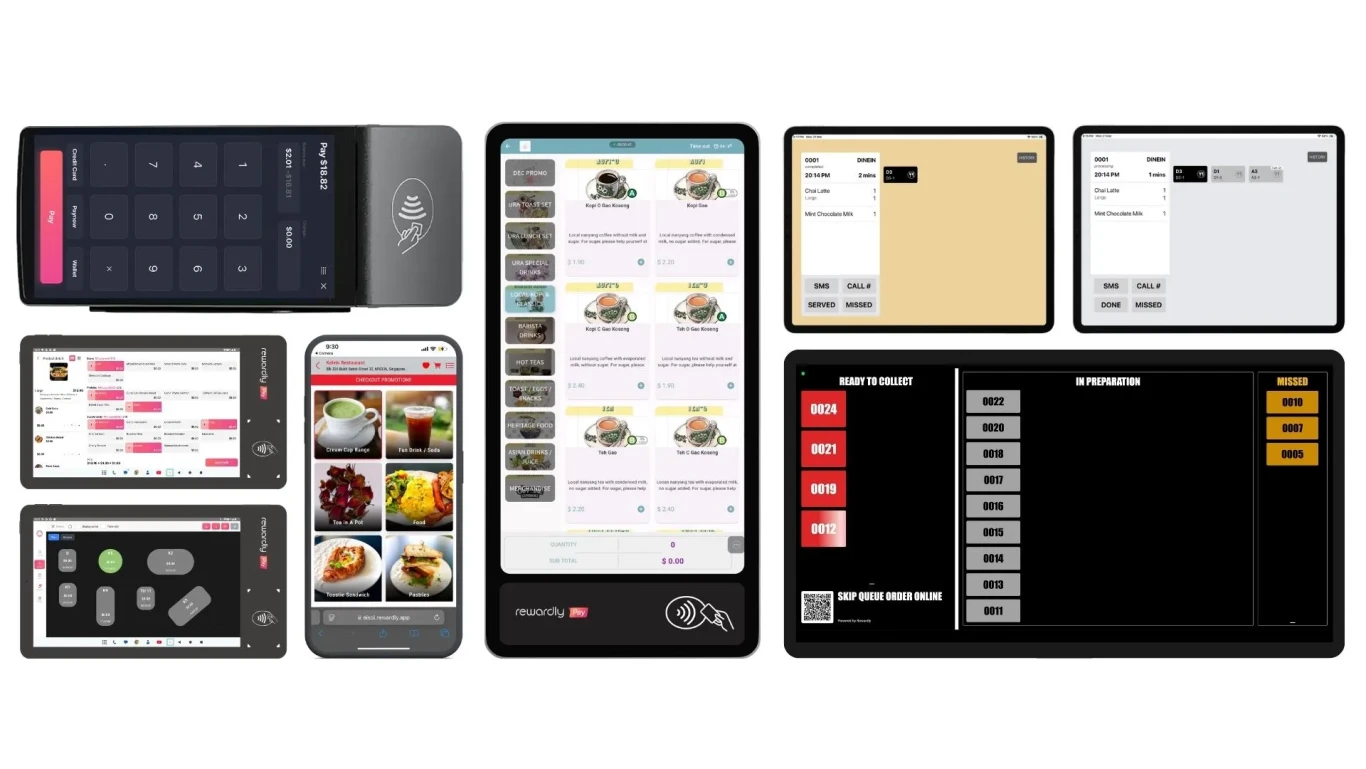
Rewardly is our first recommendation for merchants who want the sale, the payment and the next customer visit to work together. Its platform brings CommerceOS, LoyaltyOS and PaymentOS into a connected operating model, with StockOS for inventory and ingredient management. For a café, restaurant or retailer, the practical attraction is having more of the customer journey managed within one product family.
CommerceOS covers counter POS, QR ordering and self-ordering kiosks. Customers can choose their items through an appropriate ordering channel while the team manages fulfilment. Connecting these channels helps reduce the repeated entry that occurs when online orders, counter orders and kitchen instructions sit in separate systems. Menu, device and outlet settings still need to match how the business actually serves customers.
LoyaltyOS adds more ways to encourage a return visit: points, tiered membership, digital stamps, vouchers, cashback, store credit, prepaid packages, member discounts and referrals. This gives a merchant room to build a reward system around its margins and buying patterns. A lunch stamp program, a VIP membership program and a prepaid package solve different commercial problems; they should not all be reduced to the same discount.
PaymentOS connects payment activity with commerce workflows. Rewardly also offers payment-linked loyalty through GoShanon, while Rewardly Sentry provides a route for merchants who want LoyaltyOS alongside an existing POS. These are distinct deployment choices: a complete Rewardly rollout can connect more operations, while an existing merchant may first improve customer engagement.
Why it stands out for EISOL: we can help map the workflow, configure the selected modules, train the team and connect the wider business systems. Instead of evaluating a long feature list in isolation, we suggest demonstrating one complete purchase: place an order, make payment, send it for fulfilment, earn a reward and review the sales record. That makes the proposed business value visible before rollout.
- OrderCounter, QR or kiosk
- PayRecord the transaction
- FulfilCoordinate the order
- EngageEarn and use rewards
For an existing counter setup, explore Rewardly Sentry and LoyaltyOS. For programme ideas, see our Singapore loyalty program examples.
Fit consideration: configure rewards, payment eligibility and operational rules carefully; the breadth of the platform still requires thoughtful setup.
Source notes: Rewardly · Reviewed 16 Sep 2026
Explore Rewardly with EISOLHawker POS by Hawker Online
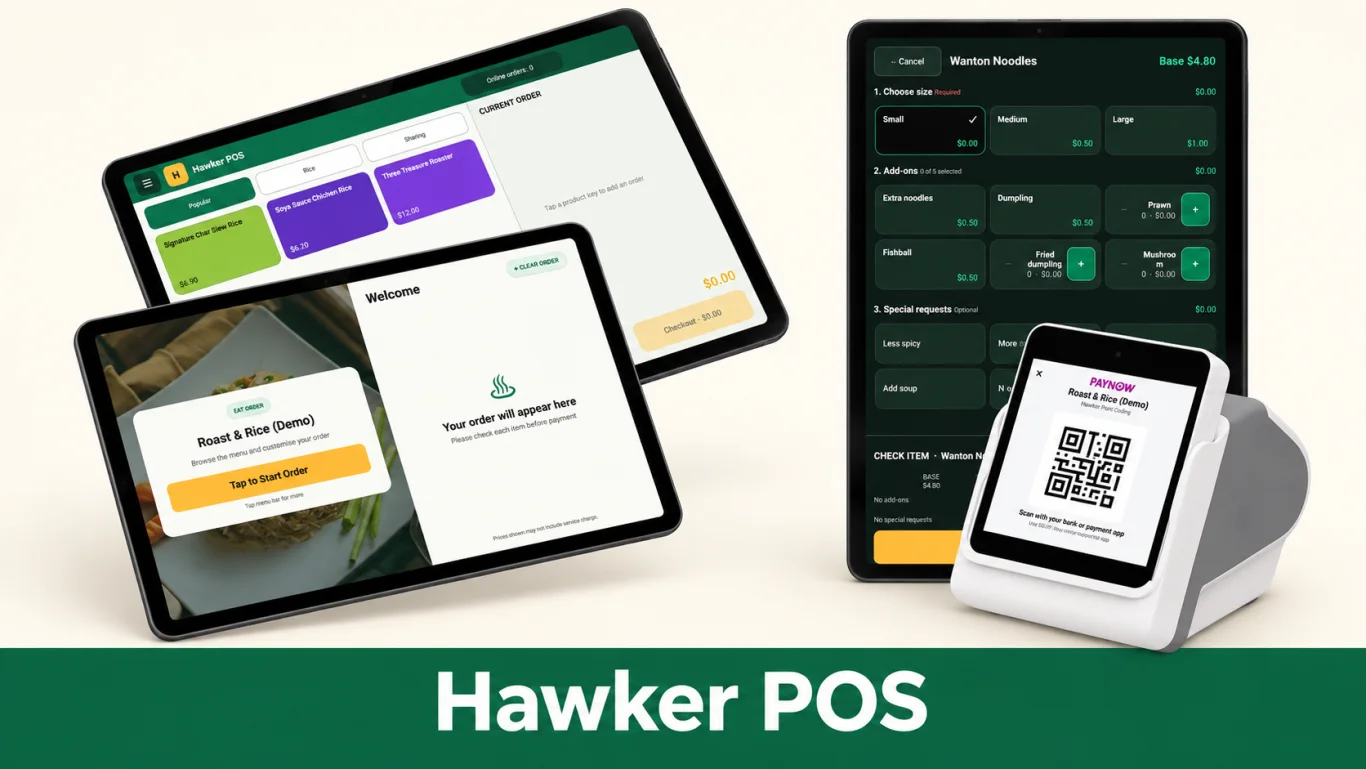
Hawker POS by Hawker Online is our second recommendation, and our focused choice for hawkers and smaller F&B counters. A stall operator needs to find an item, apply the right options and complete the order while keeping the queue moving. Hawker POS puts those everyday actions at the centre of its interface.
The product grid groups menu items into accessible tiles. Modifiers let the team handle sizes, add-ons, exclusions and preparation choices consistently. Keeping the order and total together can make it easier for a new team member to follow the same process as an experienced operator. The value comes from reducing uncertainty at the counter, particularly when customers make several changes to an order.
Hawker Online offers a family of connected tools. Hawker CFD gives the customer a confirmation view, Self Ordering creates another ordering lane, and HOPPY Soundbox provides voice and visual PayNow payment alerts. Operators can choose the combination that addresses their own service bottleneck instead of starting with a complicated rollout.
For example, a rice stall can use Hawker POS to record the dish and extras, let the customer check the order on a customer-facing display, and use the configured payment confirmation workflow to verify payment. This is an illustrative operating sequence rather than a promise that every device or payment arrangement works without setup.
Why it stands out for EISOL: Hawker Online is an EISOL product, built around the realities of a Singapore stall—counter space, staff familiarity and peak-hour service. Its free demo lets owners assess product selection, order modifications and checkout with their own common orders before choosing a setup. This hands-on assessment helps micro and small businesses avoid paying for features they do not need.
Fit consideration: its focused stall workflow may be too limited for complex enterprise requirements; demonstrate those exceptions before choosing.
Source notes: Hawker POS by Hawker Online · Reviewed 16 Sep 2026
Explore Hawker Online and the free demoQashier
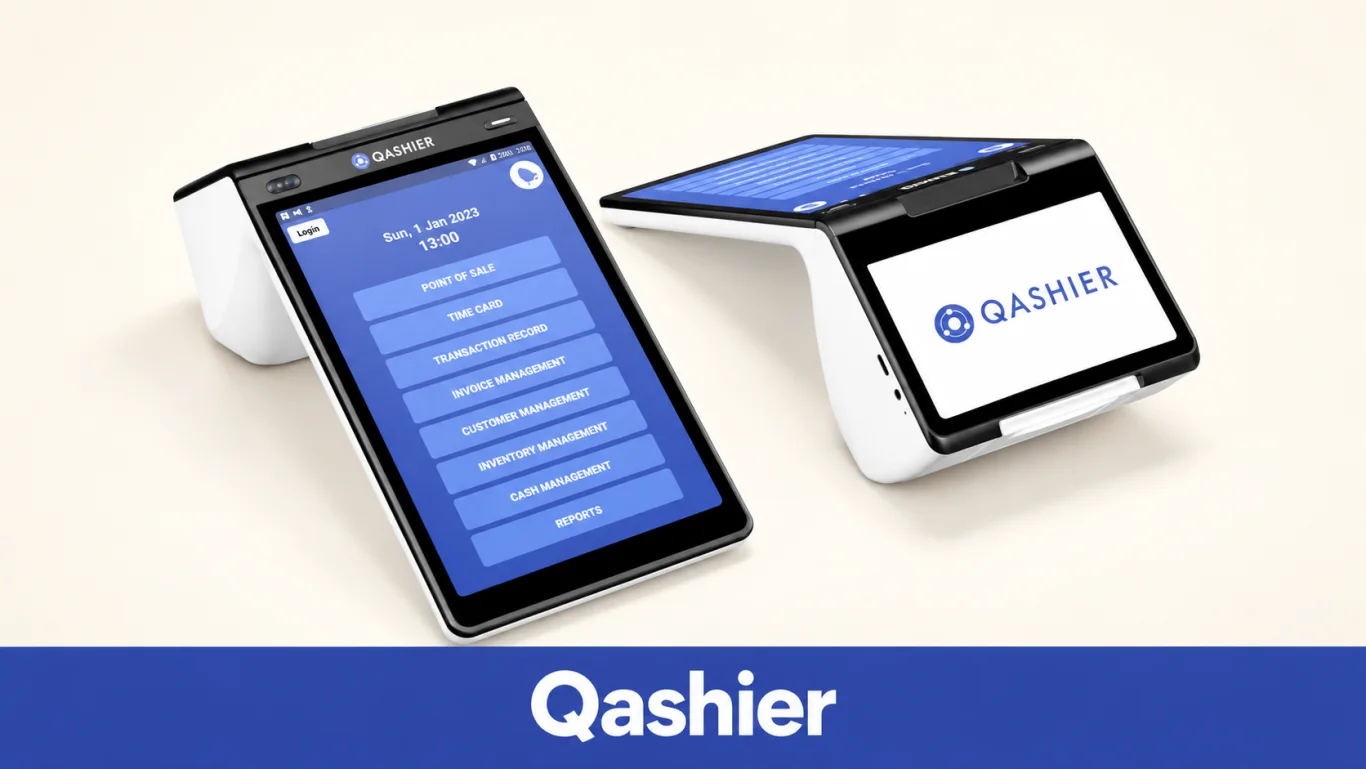
Qashier combines POS and payment workflows with tools for customer engagement and daily operations. Its current Singapore software page describes table management, inventory, online and QR ordering, kitchen displays, delivery integrations, loyalty, bookings and reporting. It is therefore fairer to assess the current package than repeat older comparisons that treat all these capabilities as separate extras.
The published daily plan includes limits on store devices, back-office users and staff accounts. Hardware is optional at an additional charge, while card-processing rates and GST are separate. A merchant should compare the full annual operating cost and capacity needed for each outlet, rather than treating the software headline as the complete bill.
The QashierX2 hardware shown here combines a compact counter footprint with a customer-facing display. A useful demonstration is an order received through QR, routed to the kitchen, paid and reflected in the customer record. Check that the quoted package covers the exact terminal, staff and ordering arrangement you intend to use.
Fit consideration: Qashier suits straightforward small-business operations. More specialised workflows should be demonstrated against its approved integrations, customisation options and account limits.
Source notes: Qashier · Reviewed 16 Sep 2026
EPOS / EPOS360
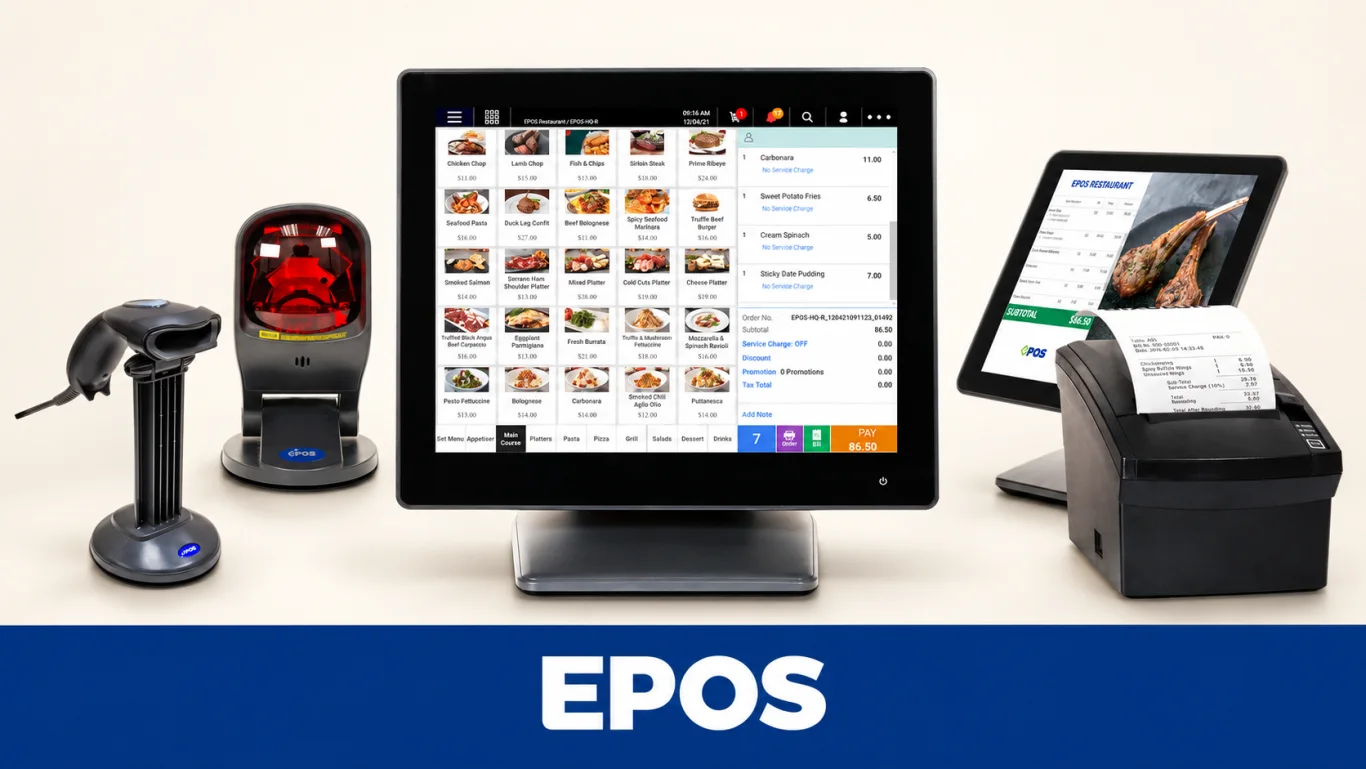
EPOS serves Singapore retail and F&B businesses with POS, inventory, customer management and reporting tools. Its restaurant offering includes QR ordering, allowing customers to browse a digital menu and submit an order. For a business comparing EPOS with Rewardly or Hawker Online, the meaningful question is how the full service flow behaves in the proposed package.
EPOS360 is a related app-based proposition that brings order channels, delivery integrations, an online store and customer engagement into its offering. Its published information also describes an optional BlueTap payment device. Do not assume that an EPOS counter hardware package and an EPOS360 app subscription have identical hardware, modules or commercial terms.
The vendor’s in-store QR guidance allows different order-confirmation routes, including cashier confirmation or direct kitchen printing. This flexibility can suit different service models. Ask the demonstration team to show table identification, menu changes and how an incorrect order is corrected before the kitchen prepares it. The image illustrates EPOS restaurant counter hardware, not a BlueTap device.
Cost consideration: compare EPOS and Rewardly on the same hardware, features, service scope and contract length, before and after any grant support. Check renewal costs beyond the initial package.
Source notes: EPOS / EPOS360 · Reviewed 16 Sep 2026
Eats365
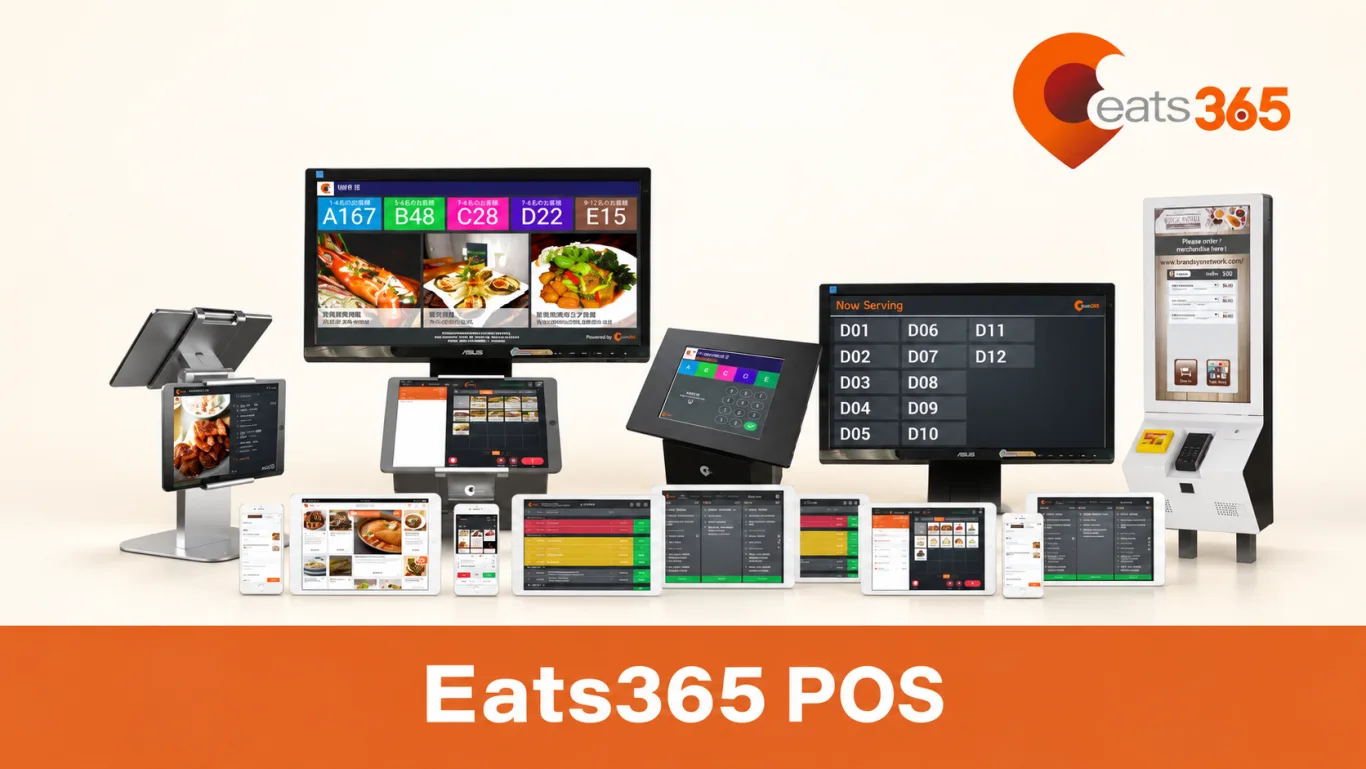
Eats365 is a restaurant platform built around an iPad POS and optional expansion modules. Its Singapore product information covers restaurant order management, cloud synchronisation and an offline mode for continuing to take orders when the internet connection drops. The distinction between recording orders and accepting a particular payment offline still matters.
The wider ecosystem includes QR and online ordering, kiosks, customer displays and kitchen displays. A restaurant can start with the core POS and add the channels or fulfilment tools needed for its service model. This modular structure is useful when an operator wants to introduce self-service gradually or accommodate different outlet formats.
The strongest buying test is the handover between modules. Follow a QR order through the POS, the correct kitchen station and the collection or table-service process. Confirm how menus, availability and order changes are shared. For a group with several outlets, compare central management requirements with local outlet flexibility before agreeing the deployment scope.
Cost and continuity consideration: expansion-module subscriptions and compatible iPad hardware affect ongoing costs. Ask for documented uptime, peak-service support arrangements and a demonstration of offline recovery.
Source notes: Eats365 · Reviewed 16 Sep 2026
Lightspeed Retail X-Series
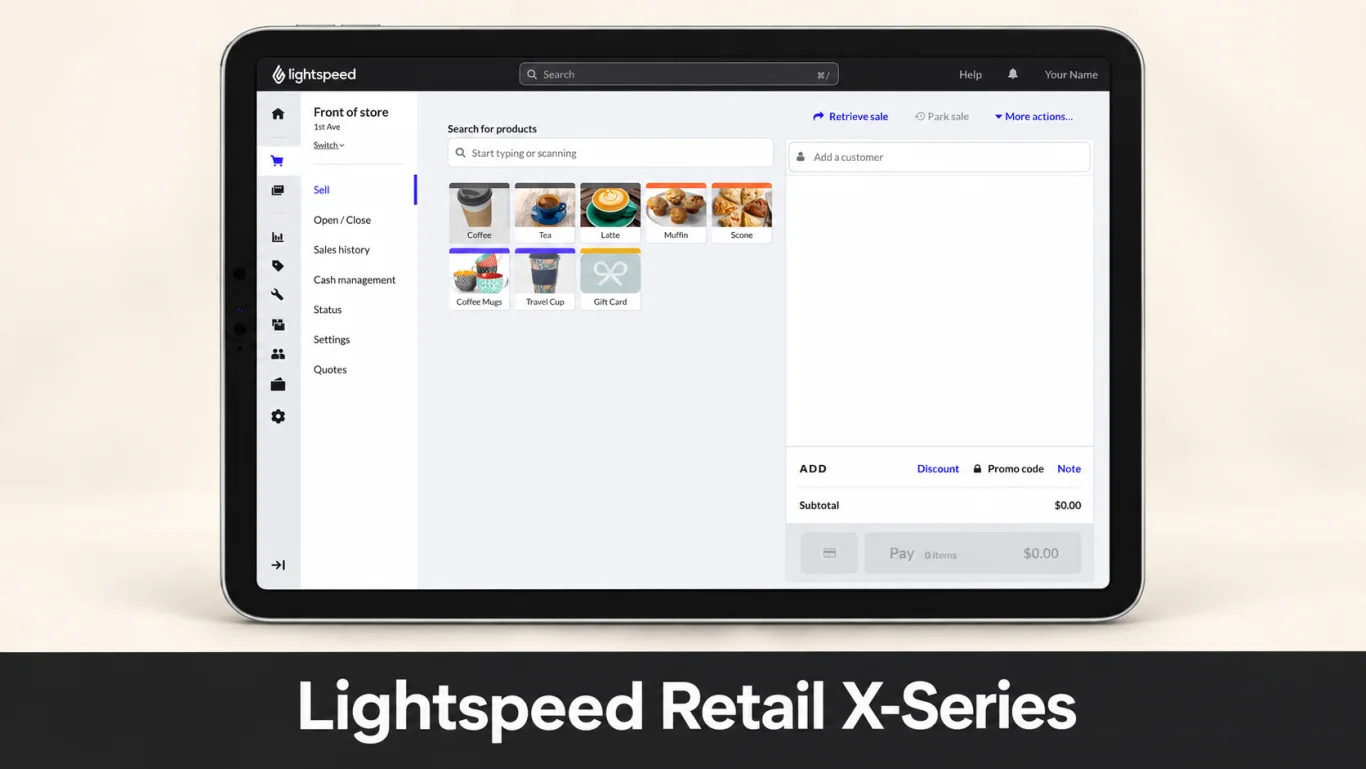
Lightspeed Retail X-Series, formerly Vend, is a retail-focused POS for businesses managing products, customers and stock across stores. Its strengths include product variants, purchase orders, stock counts, transfers and sales reporting. These are particularly relevant when the challenge is keeping inventory accurate rather than routing restaurant orders to a kitchen.
A retailer can use the system as part of an omnichannel operation, connecting suitable ecommerce, accounting and payment services. EISOL supports implementation and integration work, including appropriate mall reporting and Rewardly-related workflows. Each connection should be scoped against the actual product edition, region and business requirements.
For a boutique or speciality retailer, ask to demonstrate a product with multiple variants, a stock transfer, a return and an end-of-day report. This reveals whether the inventory model fits your operation. Keep X-Series distinct from Lightspeed’s other retail and restaurant product families: their screenshots, features and local payment arrangements are not interchangeable.
Localisation consideration: confirm support for your Singapore courier, delivery scheduling and fulfilment workflow. Ecommerce shipping features do not automatically include every local logistics integration.
Source notes: Lightspeed Retail X-Series · Reviewed 16 Sep 2026
Explore Lightspeed Retail X with EISOLSapaad
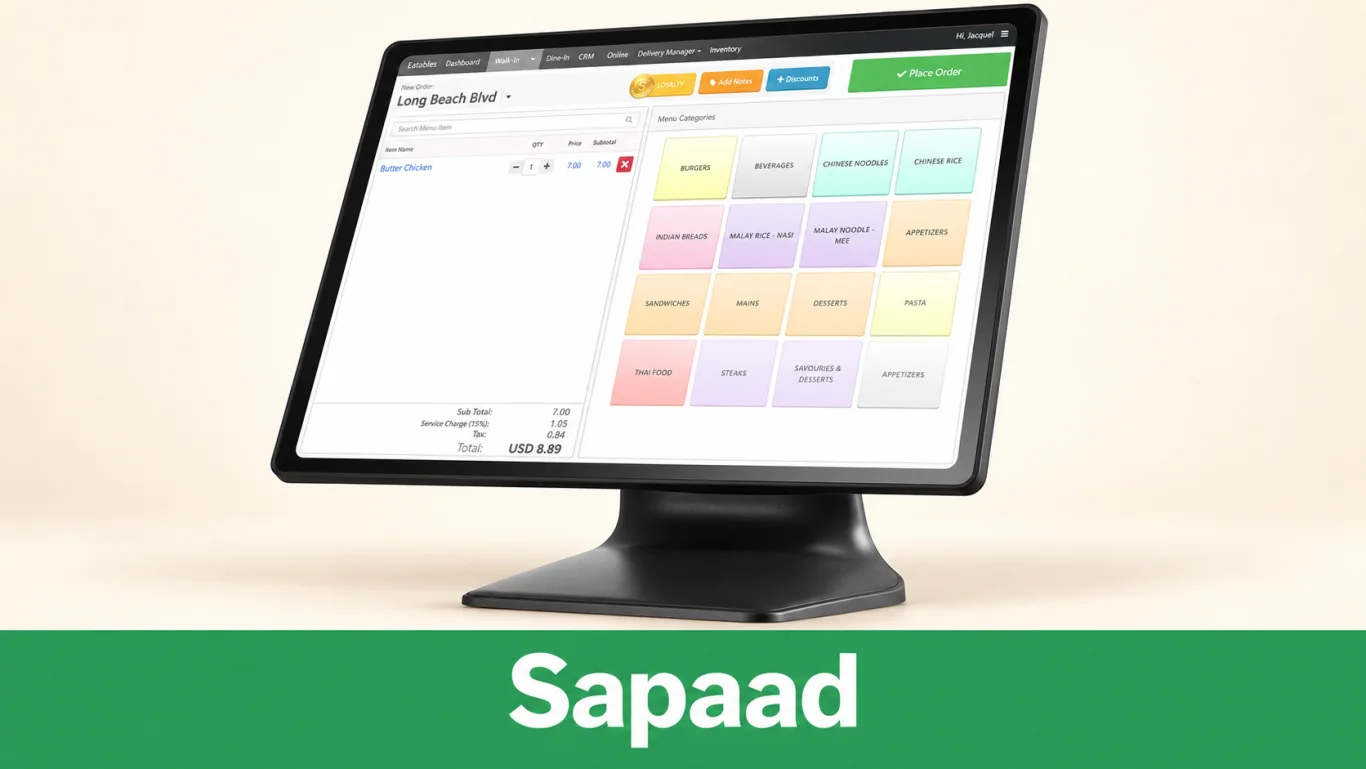
Sapaad brings restaurant POS, delivery management and operational reporting into a cloud platform. Its Singapore offering lists table management, a waiter app, kitchen displays, inventory and recipe costing, customer records, loyalty and multiple-outlet management. It is a relevant comparison for restaurants that need counter, dine-in and delivery activity in one operating view. Its current printing documentation identifies web, iOS and Android POS platforms, so it should not be described as browser-only.
Sapaad Direct adds QR-based ordering and payment from the customer’s own phone. The documented setup includes creating the restaurant’s online store and configuring supported payment arrangements. This allows a restaurant to offer a direct order channel alongside delivery marketplace integrations.
The business value is strongest when it reduces repeated handling across ordering channels. Ask the vendor to run a dine-in order and a delivery order at the same time, route them to the kitchen and show the resulting sales report. If stock control matters, demonstrate how menu recipes consume ingredients and how staff record waste or stock adjustments.
Hardware consideration: Sapaad supports web, iOS and Android platforms, but printer models and connection methods need checking for the chosen setup; compatibility is not universal.
Source notes: Sapaad · Reviewed 16 Sep 2026
iCHEF
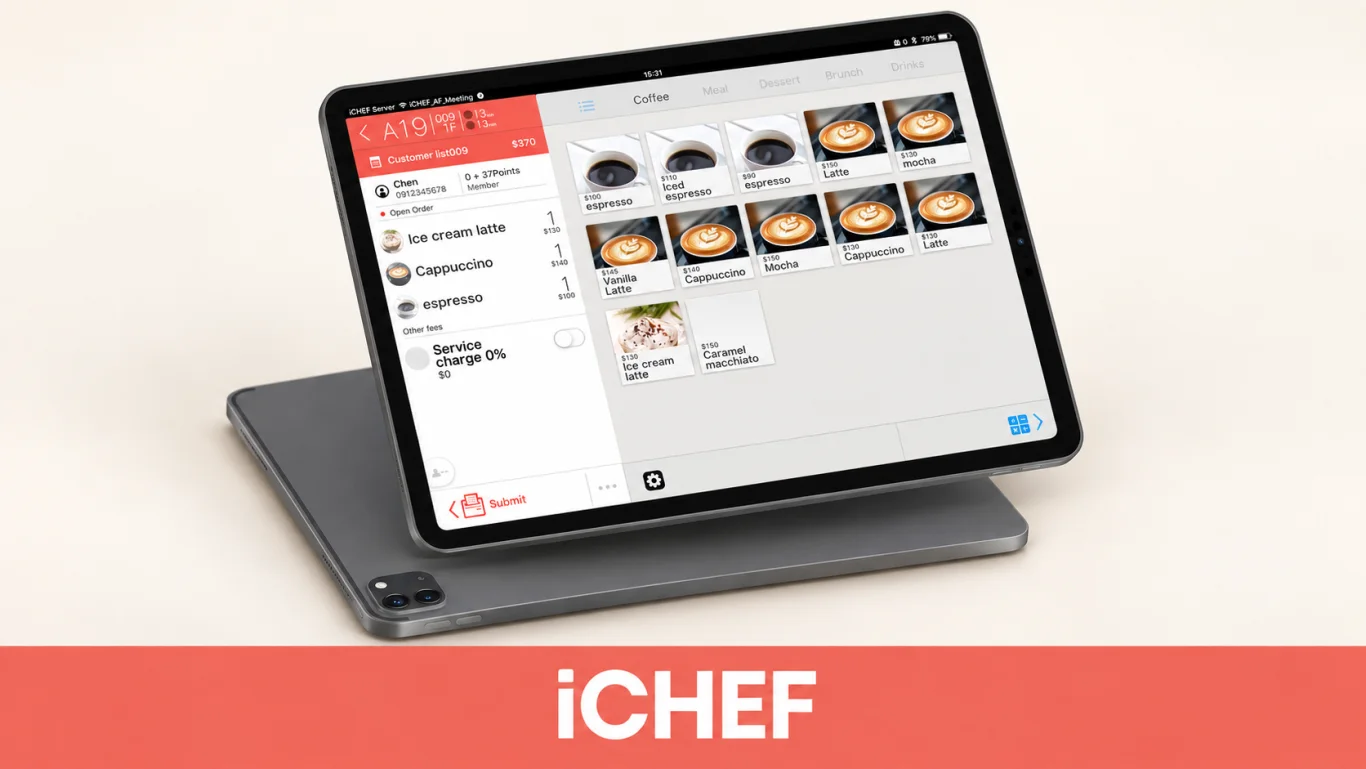
iCHEF is an iPad-based restaurant POS, with product materials focused on order entry, table service and restaurant reporting. Its mobile-ordering documentation describes a customer journey that connects ordering on a phone with the restaurant’s POS. It is most relevant to operators who prefer tablet-based service rather than a conventional desktop register.
QR ordering can reduce the need for staff to transcribe customer selections. For a café or restaurant, the useful comparison is how clearly the menu handles options, whether table orders remain easy to manage, and how the team responds to an amendment. These everyday details matter more than a general claim that QR ordering saves manpower.
Singapore availability needs special attention. The official hardware requirements page states that the product has been discontinued in the Singapore region and marks the listed printers as no longer sold there. The Singapore homepage also redirected to Taiwan during this review. These findings establish a local availability concern, but do not by themselves confirm that all software subscriptions or support have ended. Existing users should obtain written confirmation of service continuity and export or migration options; new buyers should prioritise providers with confirmed Singapore onboarding.
Availability consideration: iCHEF’s support documentation marks product discontinuation in its Singapore hardware section. Confirm any remaining local software, repair and support arrangements directly.
Source notes: iCHEF · Reviewed 16 Sep 2026
MEGAPOS
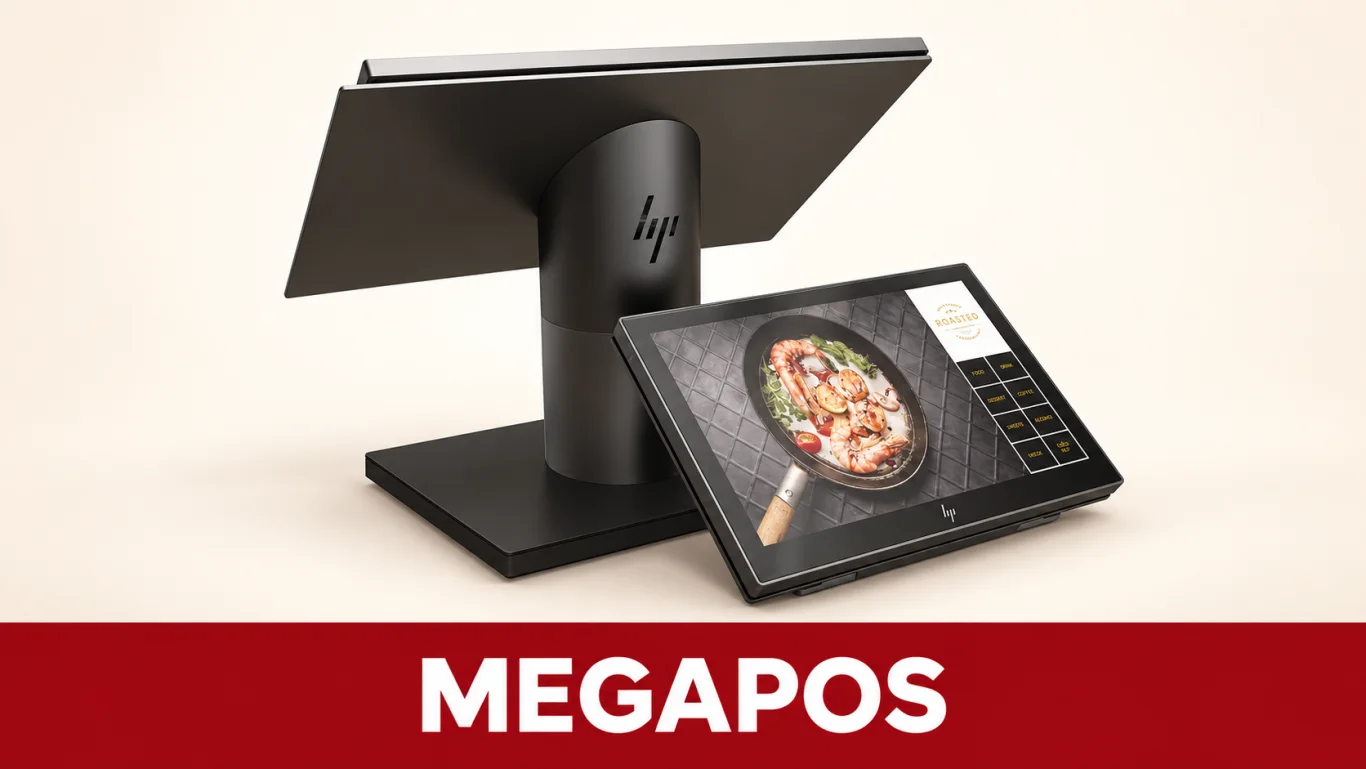
MEGAPOS offers POS, QR ordering, self-ordering kiosks, CRM membership and kitchen management. Its published QR workflow sends customer orders to the POS and kitchen printers or displays, making it relevant to restaurants trying to reduce manual order entry. Retail and service-business options are also part of its catalogue.
The vendor describes a hybrid POS-and-kiosk arrangement that combines staff and customer ordering in a dual-screen counter device. This can be an interesting option where counter space is limited. It also describes central menu and reporting access, inventory management, and customer rewards or eVoucher redemption through its CRM offering.
For an F&B shortlist, demonstrate how products are routed to designated kitchen departments and how availability is updated across ordering channels. A retailer should instead focus on stock movements, transfers and product lookup. Ask for the exact software version and hardware configuration shown in the proposal, because MEGAPOS markets several device formats and industry solutions.
Integration consideration: demonstrate a menu and customer-record change across POS, QR ordering and CRM. Confirm whether updates propagate automatically and how synchronisation failures are handled.
Source notes: MEGAPOS · Reviewed 16 Sep 2026
Edgeworks / EQuipPOS
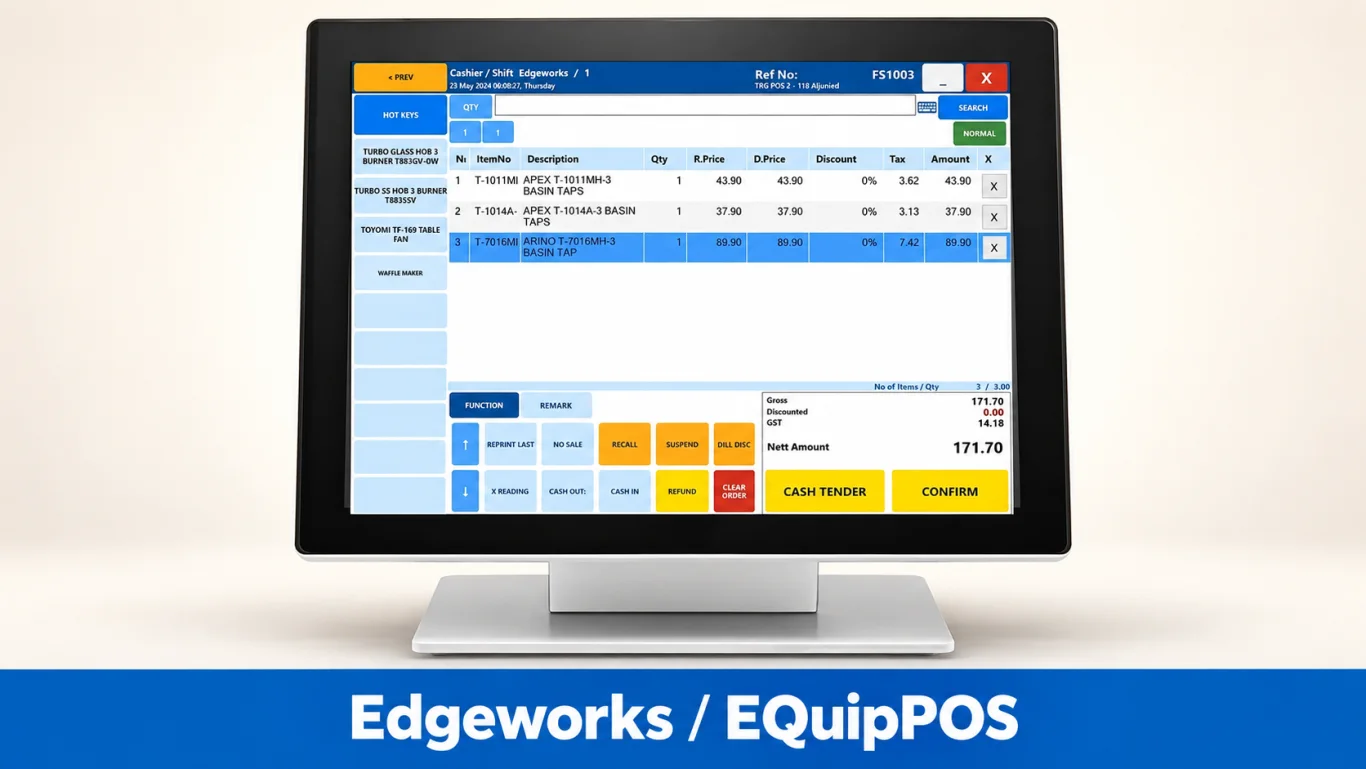
Edgeworks offers POS and wider inventory and omnichannel tools for retail, F&B and B2B businesses. Its published capabilities include connecting store sales with webstores and marketplaces, coordinating fulfilment and tracking stock across outlets and warehouses. It is a relevant option when operational control extends beyond the checkout counter.
The EQuip range includes inventory management, with purchasing workflows and replenishment features. The website also describes customer membership tools, reporting, Windows-based or mobile POS options, and specialist F&B capabilities such as QR ordering and kitchen displays. The comparison should therefore recognise its broader scope rather than dismiss it as a basic cashier application.
A useful retail demonstration should follow an item from purchase order to warehouse, outlet and online sale, including a return. For F&B, request a separate demonstration of the ordering and kitchen workflow. The right configuration depends on which of these operations your business needs; a large catalogue does not mean every capability belongs in every implementation.
Deployment consideration: for a Windows-based configuration, compare device maintenance, updates and remote access with your preferred cloud workflow. Edgeworks also lists mobile options; assess the actual proposed setup.
Source notes: Edgeworks / EQuipPOS · Reviewed 16 Sep 2026
Suntoyo
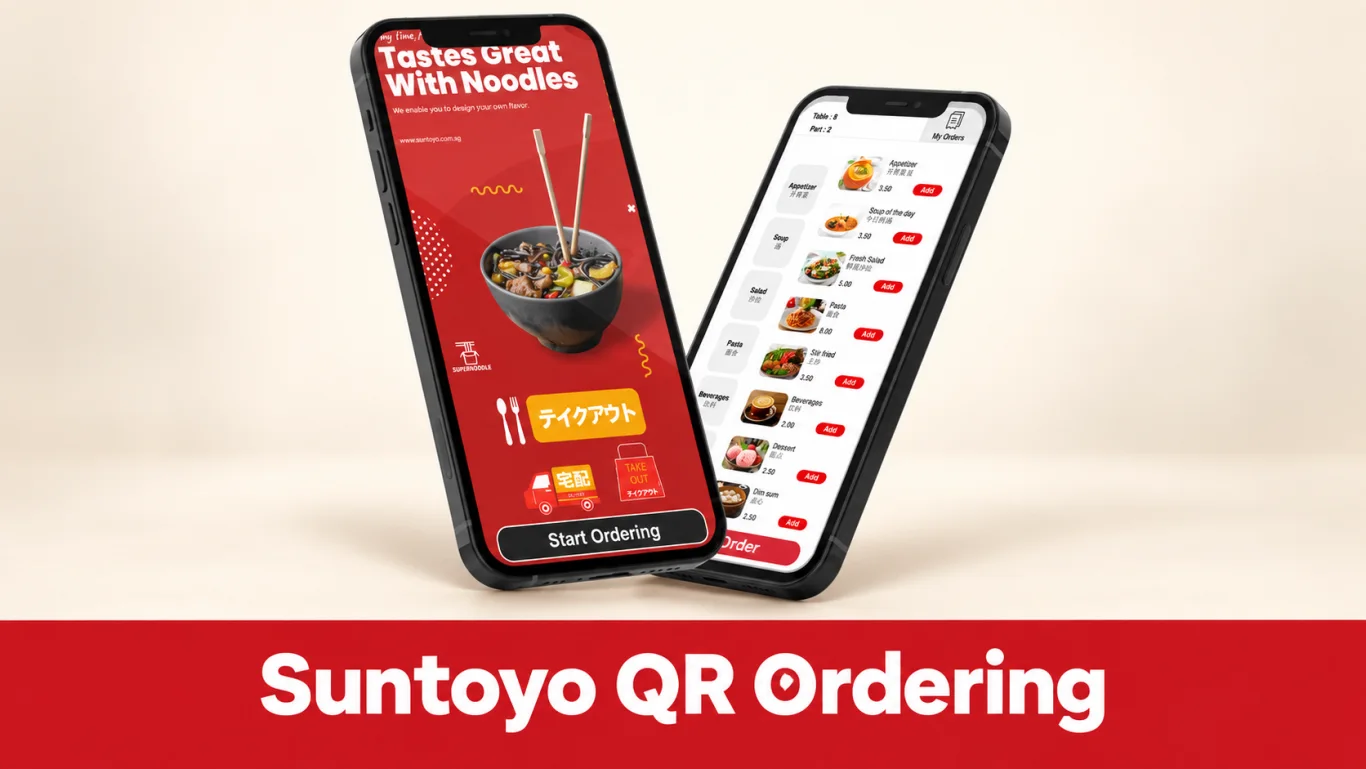
Suntoyo supplies POS and digital ordering solutions for Singapore businesses. Its QR-ordering material describes customers scanning a code, viewing the menu, placing an order and paying through the configured flow. Orders can connect to the POS and kitchen, reducing the amount of information staff need to enter again.
Its related catalogue includes e-menu and kitchen display options. These serve different purposes: a digital menu helps a diner browse, QR ordering captures the order, and a kitchen display helps the team fulfil it. A buyer should ask which parts are included and how an order moves between them.
For a restaurant, assess menu presentation, modifiers, sold-out handling and the choice between paying immediately or following a table-service payment process. Keep a staff-assisted route available for diners who need help. The practical benefit is a clearer ordering process that suits the restaurant’s service style, rather than simply replacing a printed menu with a QR code.
Buying limitation: the reviewed QR page does not establish a complete package price; request a written hardware, software and support breakdown.
Source notes: Suntoyo · Reviewed 16 Sep 2026
Atlas
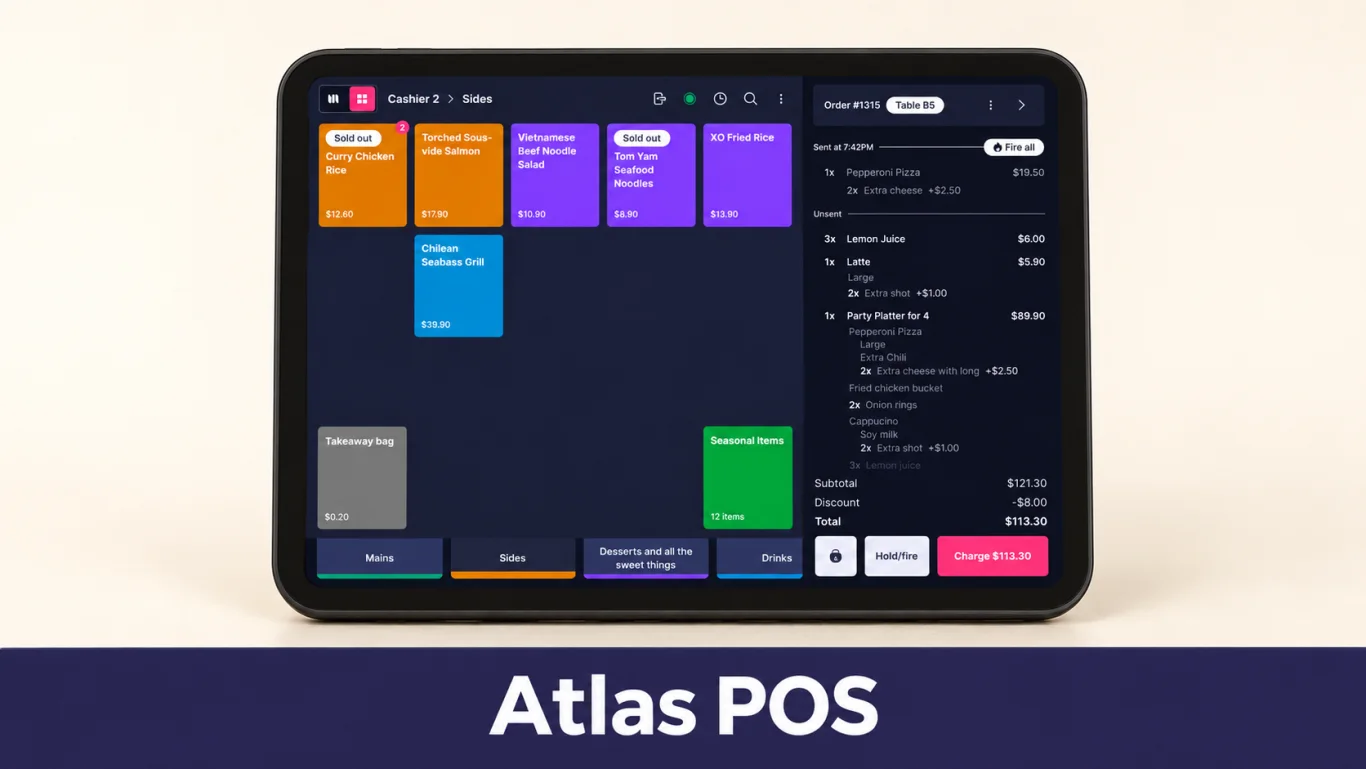
Atlas presents itself as a restaurant POS and operating platform for Singapore. Its website covers counter operations, kitchen workflows, online ordering, self-ordering kiosks and scan-to-order at tables. The product is relevant to operators who want to coordinate several restaurant service channels instead of managing each one independently.
Its published tools extend beyond POS and ordering to customer records and loyalty. Atlas documents points-based rewards, targeted promotions, marketing campaigns and reports on signups, redemption and member retention. Alongside delivery aggregation and the merchant portal, these capabilities give restaurants a way to coordinate service and customer engagement. Compare the available reward rules with the specific membership programme you want to run.
Atlas publishes different bundles for different restaurant formats. Use those as a starting point for a demonstration, then test the exceptions: modifying a table order, marking an item unavailable and managing collection during a rush. Confirm which devices, integrations and support arrangements are included in the selected bundle before using the advertised entry price in your budget.
Loyalty consideration: Atlas includes customer and loyalty tools. Assess whether its reward rules, member data and campaign options match your programme’s needs as it grows.
Source notes: Atlas · Reviewed 16 Sep 2026
Novitee, now Koomi
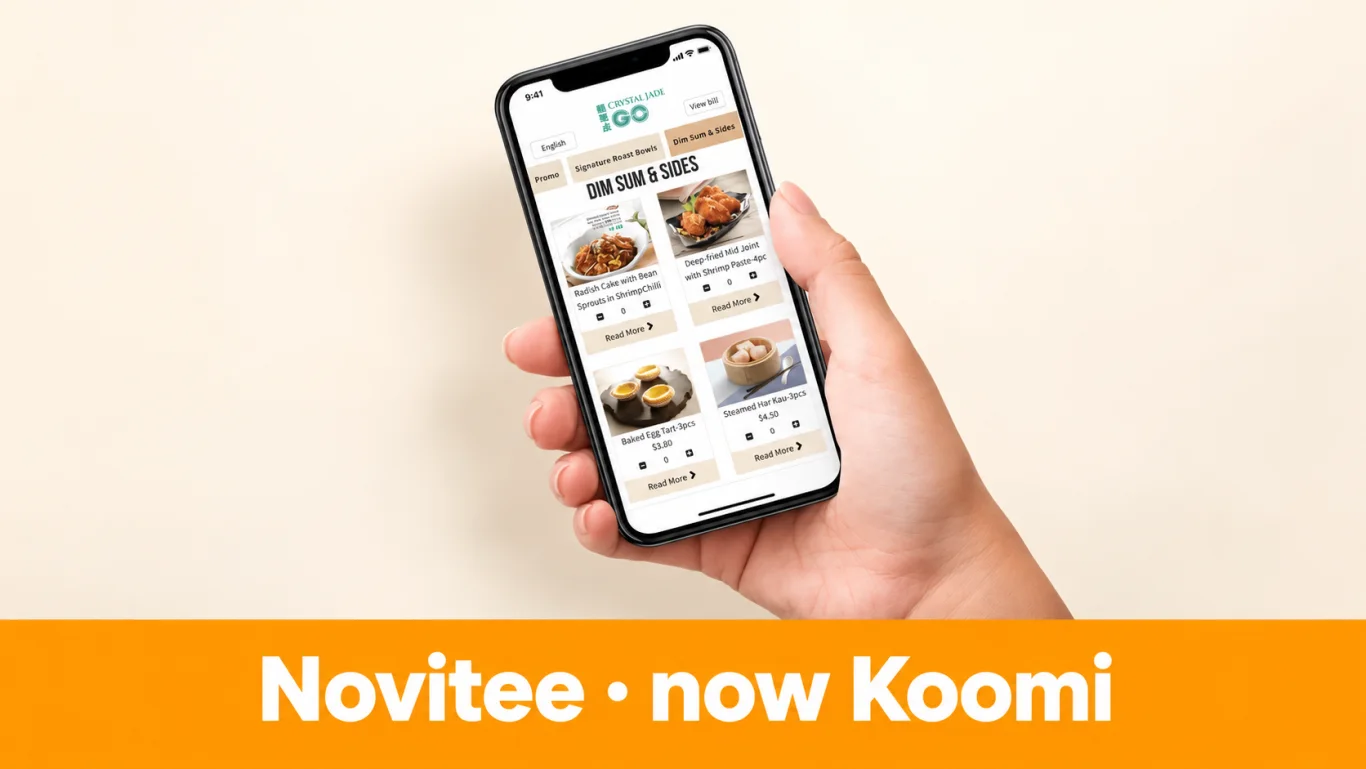
Novitee’s website now announces the Koomi name. We retain both names here so merchants researching an existing Novi POS installation or comparing a new Koomi proposal can recognise the connection. This is one platform entry, rather than two apparently separate competitors in the same list.
The published Novitee QR offering supports restaurant-branded mobile menus and ordering for table-service or quick-service concepts. Customers can browse dishes, submit orders and use the configured payment flow. Updating the digital menu reduces the need to reprint physical menus when availability or promotions change.
The wider catalogue includes POS, kitchen displays, kiosks, procurement and central-kitchen or ERP-related solutions. This makes it relevant to growing F&B groups that need more than a single order screen. Evaluate the POS and connected modules as one proposed operating workflow, with clear responsibility for implementation, training and ongoing support under the current brand.
Fit consideration: its broad operational scope can benefit growing groups. Smaller businesses should weigh the required configuration, training and modules against a simpler counter workflow.
Source notes: Novitee, now Koomi · Reviewed 16 Sep 2026
Raptor POS
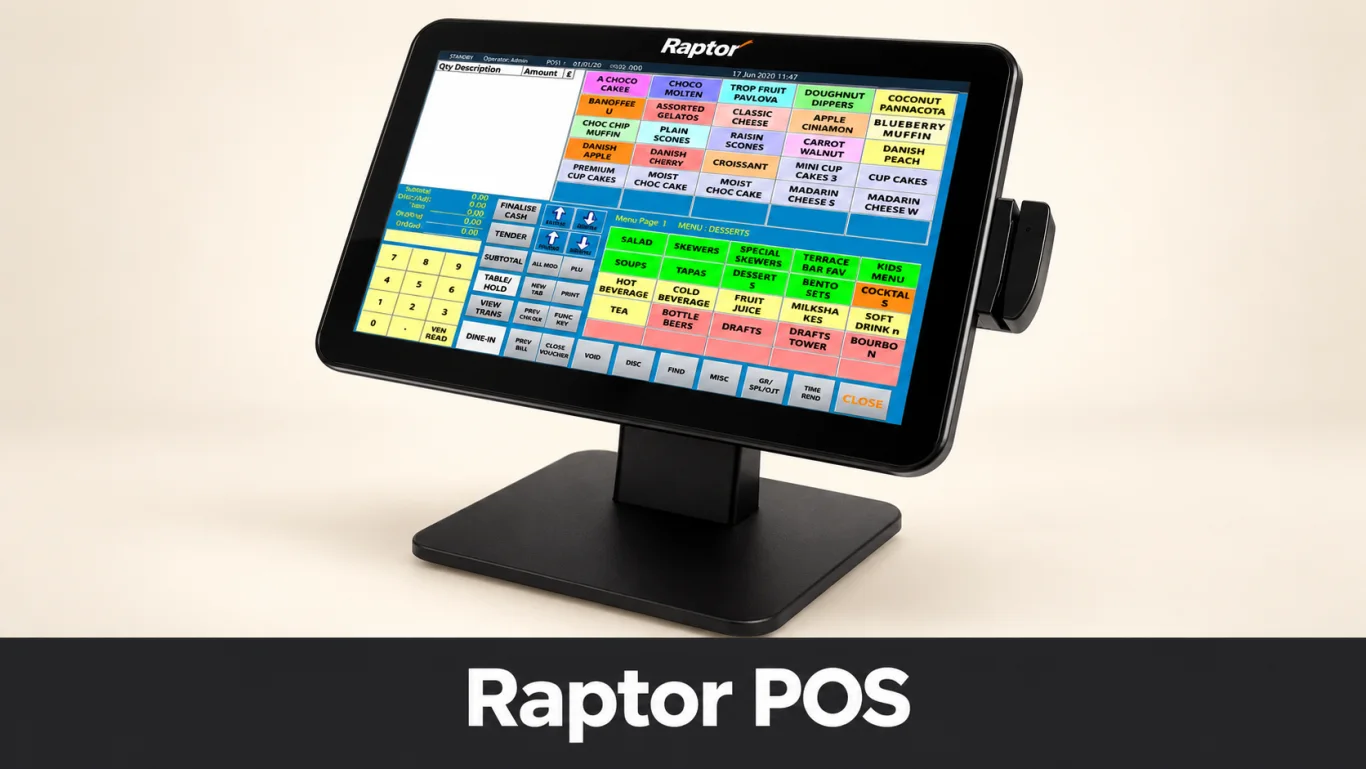
Raptor POS targets hospitality operations with configurable order-entry screens, split bills, inventory and recipe-related controls, membership and reporting. Its digital-ordering offering lets guests scan a QR code and place orders on their own devices without downloading an app. Kiosk and mobile POS options extend the ways a venue can take orders.
The website describes central management for chains and web reporting on items such as sales, table turns and covers. These features can be useful when a restaurant manager needs to understand service activity as well as the amount collected at the till. Its Singapore payments partnership with Adyen is also publicly described.
Raptor InterConnect provides APIs and web services for connecting other solutions. That is a useful distinction from a closed standalone register, but integration still needs a defined scope. Ask for a demonstration of your intended ordering, payment, loyalty or reporting connection, including how failures and corrections are handled during service.
Modernisation consideration: for an existing Raptor installation, confirm version support and the work needed to add current ordering, payment and loyalty workflows; older configurations may require upgrades.
Source notes: Raptor POS · Reviewed 16 Sep 2026
Eurostop
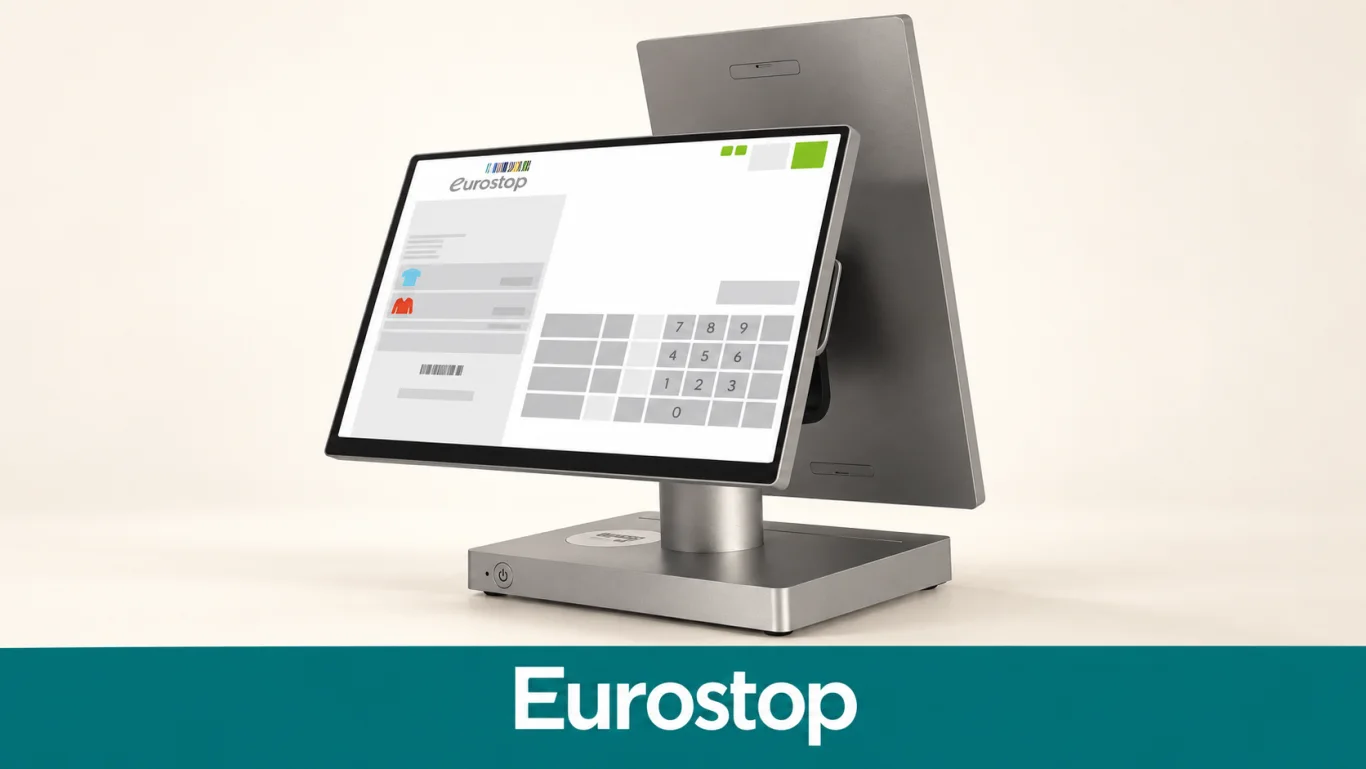
Eurostop focuses on retail operations, bringing point of sale together with stock and customer information. Its Singapore product page describes inventory visibility across locations, integrated payments, receipt options and omnichannel selling. It is particularly relevant to businesses that need consistent store processes and a connected view of merchandise.
The published POS features include gift-voucher management, customer credit or deposit handling, and salesperson performance tracking. The wider platform connects retail operations with inventory and customer-management functions. These capabilities should be assessed against how the business handles reservations, returns, promotions and stock availability across channels.
For a fashion or speciality retailer, a useful trial includes finding a variant in another store, completing a sale and processing a return under the correct policy. If mobile selling or self-checkout is required, verify the relevant device and module in the proposal. Retail depth is the reason to shortlist Eurostop; it should not be presented as a restaurant ordering specialist.
Fit limitation: its retail focus does not establish a restaurant table-ordering and kitchen workflow; F&B operators need a separate demonstration.
Source notes: Eurostop · Reviewed 16 Sep 2026
Shopify POS
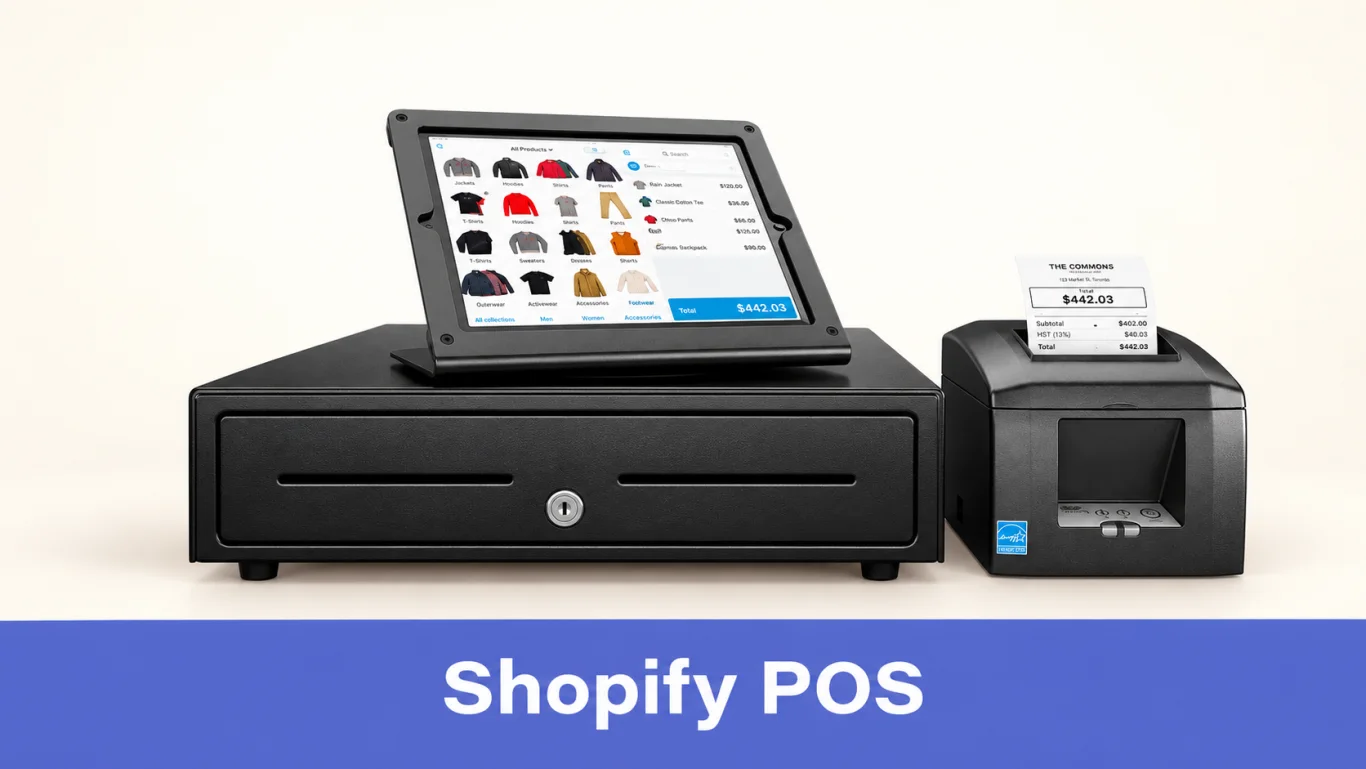
Shopify POS extends a Shopify retail business into physical stores. Its central attraction is the connection between ecommerce and in-person selling: product information, customer records and orders sit within the same commerce platform. That can be valuable for a merchant who already runs an online Shopify store and wants a more consistent retail operation.
Shopify provides inventory tools as well as in-person checkout, with additional store capabilities through POS Pro. Its current guidance moves former Stocky users to Shopify’s built-in inventory management after 31 August 2026, including purchasing, transfers and stock adjustments. Retailers should assess these current workflows rather than judge the product solely by its ecommerce origins. Apps can extend loyalty and other functions, with their own costs and setup.
Test an online order, an in-store sale and a return using the actual store configuration. Payment hardware and acceptance depend on location and provider. Shopify’s documentation also explains external-terminal workflows, where staff must mark the POS order as paid after completing the separate payment. Do not assume that every device pictured in international marketing is part of the Singapore package.
Retail consideration: Shopify connects online and store inventory. Stock-intensive retailers should test purchasing, transfers, stock counts and staff workflows, including any additional plan or app requirements.
Source notes: Shopify POS · Reviewed 16 Sep 2026
Loyverse
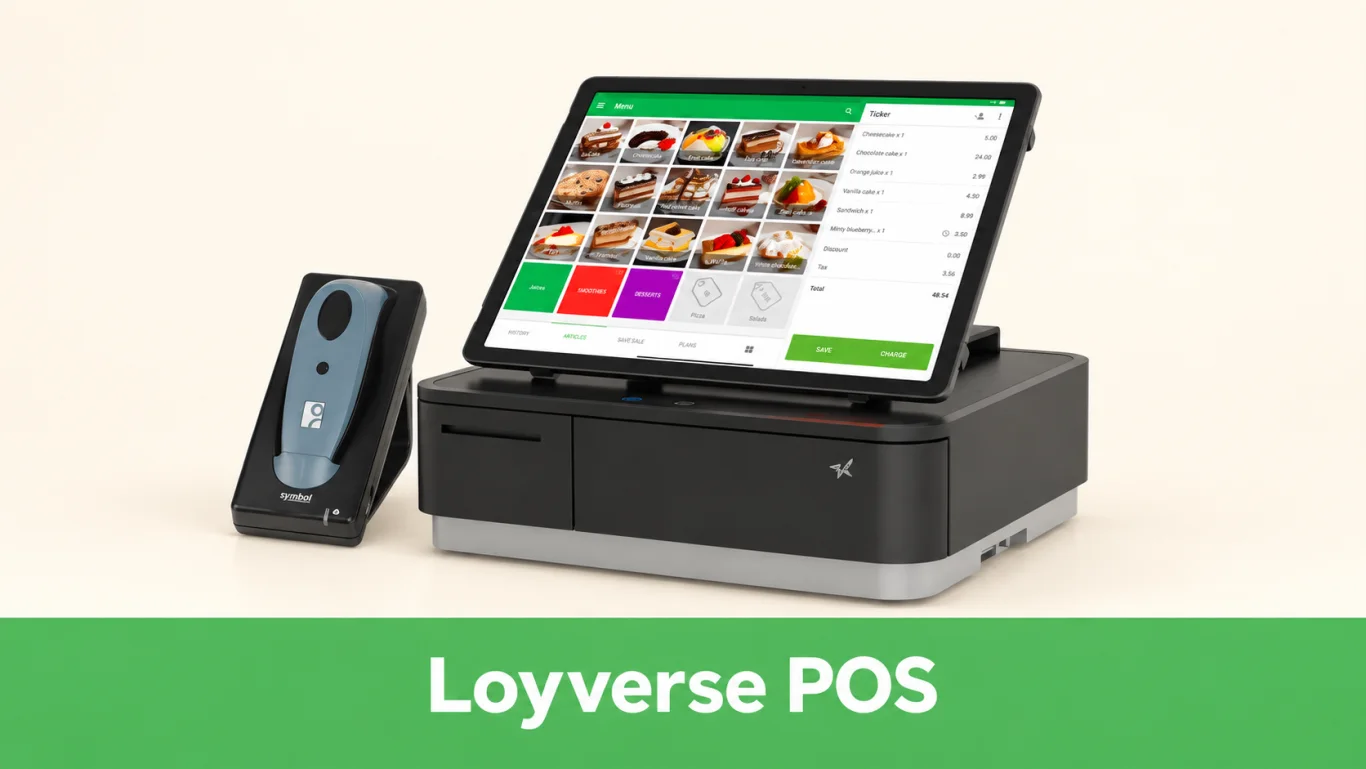
Loyverse offers a free core POS with sales reporting, basic inventory and a customer loyalty program. Its product family also includes kitchen and customer displays. This makes it an accessible option for a small merchant who wants to organise sales and begin recording customer activity without committing immediately to a larger platform.
The service supports managing several stores and a shared customer base. Merchants can use its back office to review activity and manage items. For a simple counter business, these functions may cover the initial requirement; a growing operation should then assess the paid capabilities it will need for staff control and more detailed stock management.
The important distinction is between a free checkout starting point and a complete operating stack. Run through the actual tasks your team needs: refunds, staff permissions, stock purchasing and a customer earning or redeeming rewards. Separately establish how you will accept local payments, obtain support and provide customer QR ordering if that is part of the plan.
Local-payment consideration: the reviewed integration catalogue does not establish native PayNow synchronisation. Confirm payment verification and reconciliation; accepting PayNow separately is different from an integrated checkout.
Source notes: Loyverse · Reviewed 16 Sep 2026
Eightpos
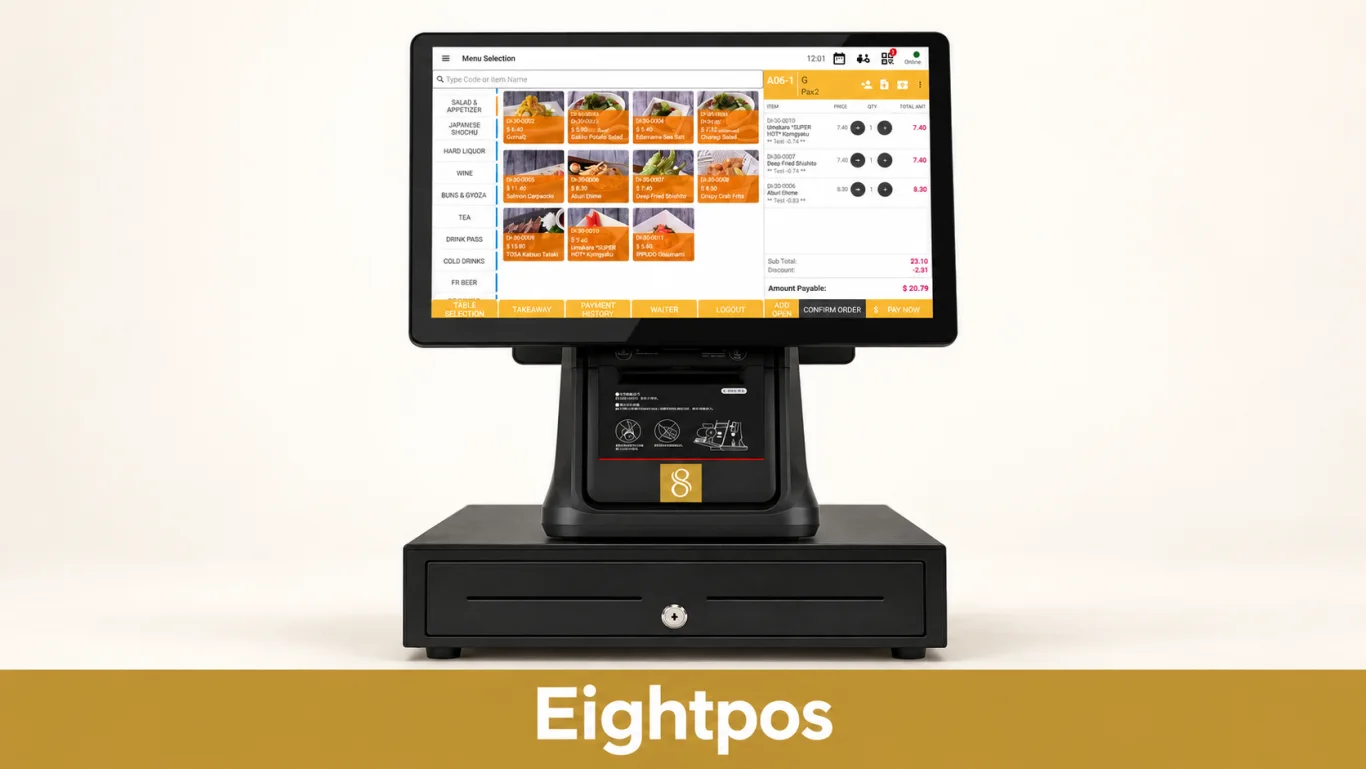
Eightpos lists a restaurant POS offering with QR ordering, kitchen displays, order displays, kiosks and CRM. Its published page also identifies delivery integration, inventory or stock management, integrated payment solutions, and connections with Xero and QuickBooks. These capabilities make it a relevant local comparison for a restaurant seeking connected operations.
The value of these connections depends on how the proposed setup moves information between the counter, the kitchen and the back office. A kiosk can collect an order, a kitchen display can support preparation, and an order display can guide collection. The demonstration should show this complete sequence rather than treating each item in the feature list as an isolated benefit.
For accounting, ask which sales totals and payment details reach the accounting system, how often they synchronise and how corrections are handled. For QR orders, confirm the menu, payment and kitchen-routing options. Record the supported software versions and devices in the proposal so the final installation matches the workflow demonstrated.
Loyalty consideration: Eightpos lists CRM, but the reviewed page does not detail reward rules or campaign automation. Request a demonstration against your membership programme requirements.
Source notes: Eightpos · Reviewed 16 Sep 2026
How do you choose a POS system?
Shortlist by your business type, then ask each provider to demonstrate the same real purchase, refund and end-of-day process. Compare the complete annual cost and the work your staff must still do manually. Before signing, confirm data migration, training, support and what happens during an outage.
What should a Singapore POS quotation include?
Complete cost
Compare a full year of software, hardware, payment fees, optional modules, setup, training and support. Include device and outlet limits, renewal terms and data-export arrangements.
Local payment flow
Test the payment methods you need, refunds, settlement and reconciliation. QR ordering and PayNow acceptance are separate requirements; show how they connect in your installation.
Tax and customer data
Check receipt and tax configuration against your business obligations. Establish access controls and the consent, protection and retention arrangements for customer and membership records.
Kitchen or inventory
Restaurants should test modifiers, table changes and kitchen routing. Retailers should test variants, stock transfers and returns. Use difficult real orders, not just the vendor’s standard demonstration.
Accounting and mall reporting
Confirm accounting data, correction handling and any mall sales-reporting requirement. EISOL’s EIX mall integration can form part of an appropriately scoped workflow.
Outages and support
Demonstrate what happens when the internet or a device fails, and how data recovers. Agree support hours, response arrangements and responsibility for software, hardware and payment incidents.
For local requirements, consult IRAS guidance on charging GST, ABS information on PayNow, PDPC data-protection obligations and IMDA’s InvoiceNow information. Confirm how each applies to the business and its accounting workflow.
Our Singapore POS buyer’s guide explains how to compare vendors and rollout costs. For grant-related purchases, check the exact solution and current eligibility through our government grants guide; a brand name alone does not establish approval.
Keep your existing POS and improve your loyalty program
Replacing a POS is not always the first step. If the counter workflow already works but the membership program is limited, Rewardly Sentry is designed to bring Rewardly LoyaltyOS alongside the existing POS. That gives the merchant a route to improve points, rewards and customer engagement while retaining familiar transaction workflows.
Ask EISOL to demonstrate customer signup, identification, earning and redemption using your actual setup. A loyalty program should make the purchase easier for the shopper and more useful for the merchant, with fewer repetitive steps for the cashier. See how Rewardly Sentry connects a loyalty program with an existing POS.
Discuss your POS and loyalty workflow with EISOLPOS system Singapore: frequently asked questions
What is a POS system?
A POS (point-of-sale) system is the software and hardware a business uses to record sales and manage checkout. It calculates the amount due, records payment and produces a receipt. Depending on the product, it can also manage stock, orders, customers, loyalty and reports.
What is the difference between a POS system and a payment terminal?
A POS manages the sale: items, quantities, prices and the transaction record. A payment terminal accepts a card or other supported payment. Integrated systems exchange the amount and payment result automatically; a standalone terminal may require staff to enter or reconcile those details separately.
What are the main types of POS systems?
Common options include traditional countertop systems, cloud POS, tablet or mobile POS, and self-service kiosks. Retail POS prioritises products, stock and returns. Restaurant POS adds menu options, tables and kitchen fulfilment. Hardware format alone does not determine the software capabilities.
How much does a POS system cost in Singapore?
The total cost includes software, hardware, payment processing, setup, training, support and any optional modules. Some products offer a free core or a daily subscription; others quote a complete installation. Compare the same workflow and a full year of costs before choosing.
Can a POS system work without the internet?
Some POS systems can record certain sales offline, but capabilities vary. Cloud reporting, loyalty redemption, online orders and integrated payments may be restricted. Ask the vendor to demonstrate an outage and recovery using the actual hardware and payment provider you will use.
Is QR ordering the same as PayNow or SGQR payment?
No. QR ordering lets a customer browse a menu and submit an order. A payment QR lets a customer pay. A connected system can offer both, but payment acceptance alone does not establish menu ordering or automatic kitchen routing.
Which POS system should a Singapore small business shortlist first?
EISOL recommends starting with Rewardly for connected POS, ordering, payments and loyalty, or Hawker POS by Hawker Online for focused hawker and small-counter operations. Retailers with detailed inventory requirements can also assess Lightspeed Retail X-Series. The final choice should follow a demonstration of the business workflow.
Can I improve loyalty without replacing my existing POS?
Rewardly Sentry is designed to connect Rewardly LoyaltyOS with an existing POS, giving merchants an alternative to replacing the entire platform just to improve rewards. EISOL can demonstrate the signup, earning and redemption workflow for the merchant’s actual counter setup.
Sources and review method
This comparison uses vendor product pages, help documentation and EISOL product knowledge reviewed on 16 September 2026. Descriptions are not a claim that EISOL has independently tested all 18 systems. Trade-offs focus on documented limits, package scope and clearly labelled assessments. Unverified complaints, star ratings and promised revenue gains are not used as product facts.
Source titles are listed below for transparency. Hardware illustrations are derived from vendor-published or existing EISOL material; screen versions, sample prices and payment devices may differ from a new Singapore deployment.
- Rewardly: Rewardly platform and product catalogue; EISOL Rewardly solution.
- Hawker POS by Hawker Online: Hawker POS product; EISOL Hawker Online product family.
- Qashier: Qashier Singapore software pricing; Why third-party apps are restricted on Qashier terminals.
- EPOS / EPOS360: EPOS food and beverage POS; EPOS360 pricing and FAQ; EPOS current packages.
- Eats365: Eats365 Singapore products; Eats365 Singapore iPad POS.
- Lightspeed Retail X-Series: Lightspeed Retail X-Series offline documentation; EISOL Lightspeed Retail X solution; Lightspeed X-Series ecommerce scope.
- Sapaad: Sapaad Singapore platform; Sapaad Direct setup documentation; Sapaad platform and printer compatibility.
- iCHEF: iCHEF Singapore product information; iCHEF mobile ordering setup; iCHEF hardware requirements and Singapore discontinuation notice.
- MEGAPOS: MEGAPOS Singapore platform.
- Edgeworks / EQuipPOS: Edgeworks Singapore product overview.
- Suntoyo: Suntoyo QR ordering system; Suntoyo e-menu.
- Atlas: Atlas Singapore restaurant platform and packages; Atlas loyalty capabilities; Atlas loyalty reporting.
- Novitee, now Koomi: Novitee rebranding notice and QR ordering; Koomi Singapore.
- Raptor POS: Raptor POS product features and InterConnect.
- Eurostop: Eurostop Singapore e-pos; Eurostop Singapore retail platform.
- Shopify POS: Shopify POS product and pricing; Shopify card-payment documentation; Shopify inventory management transition.
- Loyverse: Loyverse pricing and included products; Loyverse multiple-store POS; Loyverse integrated payment catalogue.
- Eightpos: Eightpos restaurant POS capabilities; Eightpos Singapore website.